We take thousands of steps a day. Yet almost none of us has actually looked at our own walking.
The thought surfaces occasionally — one shoe sole wearing down faster than the other, the same leg always tiring first on long walks, or someone mentioning in passing that your gait looks a little uneven. But when you try to check, there’s no obvious way to do it.
Why gait is hard to observe on your own
Because walking is a movement that only stays natural when you aren’t thinking about it.
The moment you ask “how am I walking right now?”, you’re already walking differently. Mirrors don’t help. Neither do videos. The act of observing changes the result. On top of that, left-right differences are usually small enough that the eye misses them entirely.
To see your gait, you need something that records while you walk without thinking about it.
Gait indicators you can see at home
Connect the JAWS adapter to your treadmill and walk as usual. The following indicators are recorded — nothing to wear, nothing to pay attention to.
Left-right balance
Shows the relative weight each foot places on the surface. Nobody is perfectly symmetrical, and what matters is not perfect symmetry but knowing your own usual pattern.
Gait stability (Median / IQR)
Presents step-to-step variation statistically. The median reflects your typical walking pattern; the interquartile range (IQR) reflects how much your steps vary. A narrower range means more consistent steps.
Cadence
Steps per minute. Even at the same speed, stride length and rhythm differ from person to person, so knowing your own baseline is useful.
Gait type and heatmap
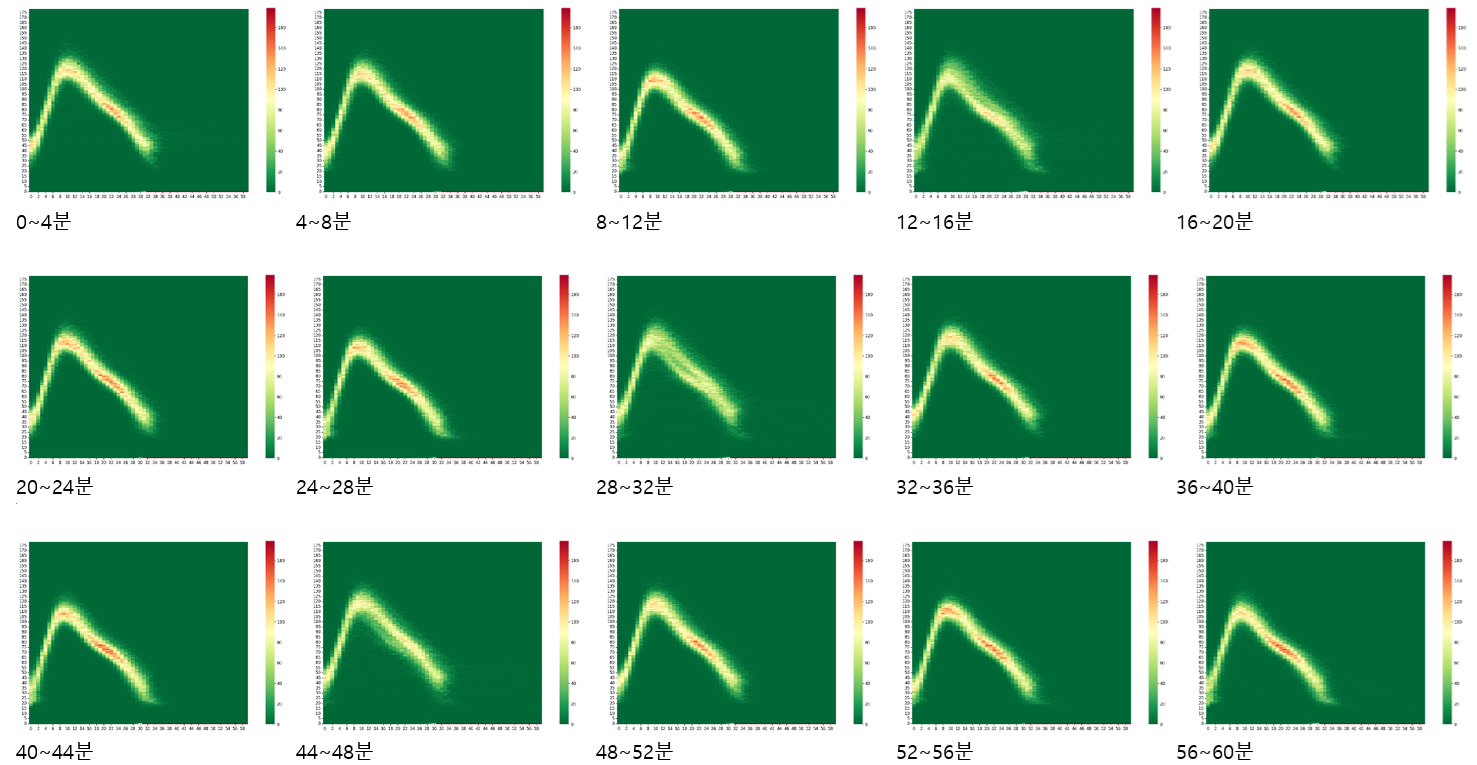
Walking and running are recorded separately, and pressure distribution across gait phases is visualized as a heatmap.
How to read these indicators
Here is the most important point.
These indicators are not a line between “normal” and “abnormal.” Gait naturally varies with body type, age, footwear, exercise habits and how you feel that day. No single number by itself means something is wrong.
Instead, we suggest using them this way.
- Watch trends, not absolute values. Change across several weeks tells you far more than a single session.
- Compare yourself to yourself, not to others. Your baseline is your own past, not someone else’s average.
- Pay attention to shifts in left-right deviation. The question worth watching isn’t whether a difference exists, but whether it’s widening.
When you notice a change
As records accumulate, you may see periods where left-right deviation grows beyond your usual range, or where step variation shifts noticeably. In that case, consider the following.
- Check everyday factors first. New shoes, long hours seated, a recent change in training volume, or accumulated fatigue all affect how you walk.
- Add stretching and balance work. The Elegaiter app suggests stretches and exercises based on your recorded patterns.
- See a professional if discomfort accompanies it. If pain, numbness or persistent discomfort is present, consult an orthopedic or rehabilitation specialist rather than interpreting the data on your own. Your recorded history can serve as useful reference material during that consultation.
Turning daily walking into recorded walking
Without booking a special assessment, you can build a record of your own gait while doing the exercise you already do. What matters isn’t one measurement — it’s your own data, accumulating steadily.
See the full list of Elegaiter gait metrics →
※ Medical notice
This article and the data Elegaiter provides are not a medical diagnosis and are offered for reference only. Elegaiter JAWS and related services are not medical devices and are not intended to diagnose, treat, cure, or prevent any disease. The data provided cannot replace professional medical advice. If you have health concerns, please consult a qualified healthcare professional.
답글 남기기